
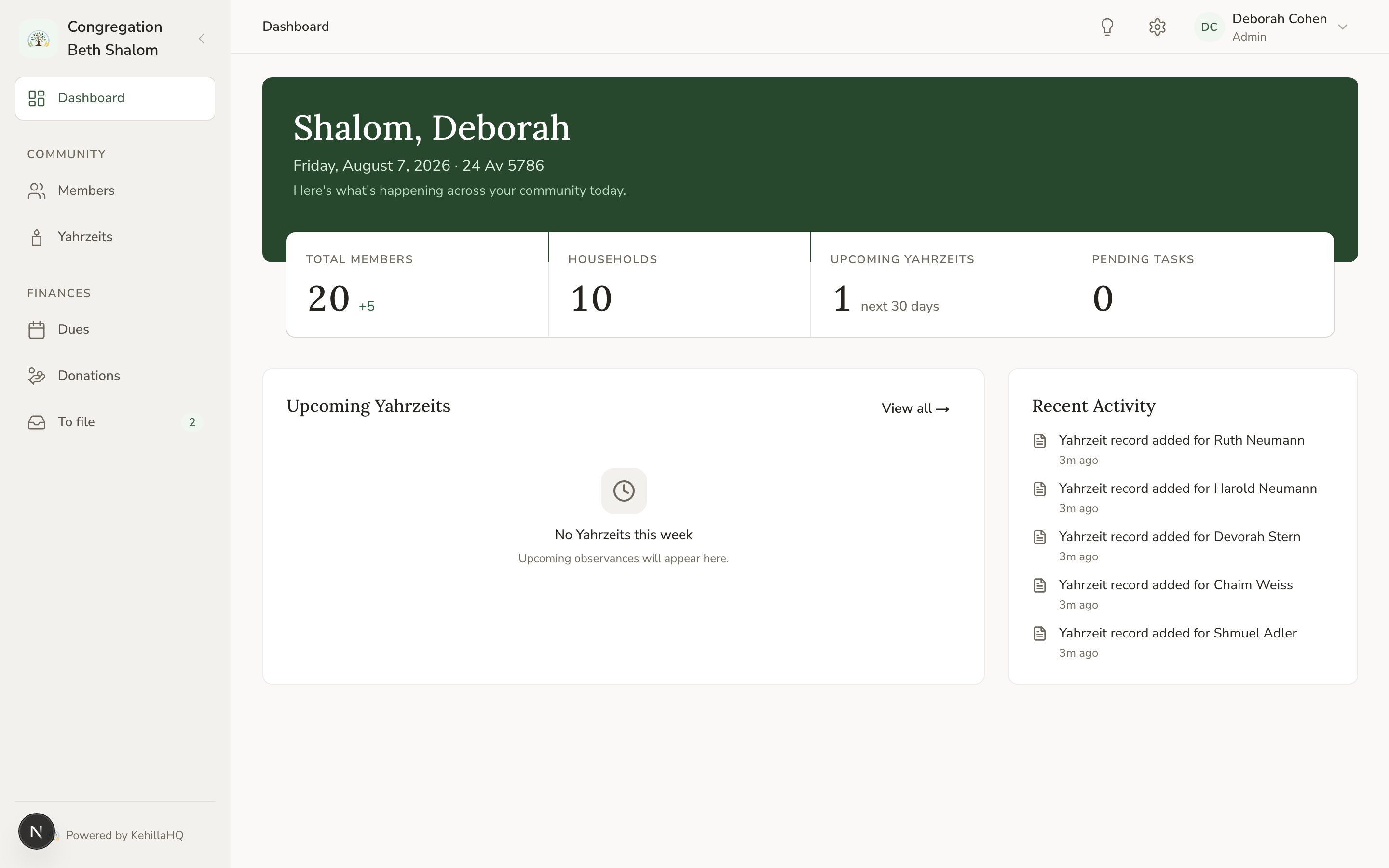
The screen has two navigation areas, and they do different jobs. The sidebar on the left takes you between the main parts of the system. The bar across the top handles everything about you, your congregation’s settings, and where you currently are.
The KehillaHQ dashboard with the sidebar on the left and the top bar across the top

The sidebar: where the work happens

Dashboard is your starting view: a summary of the congregation at a glance. Community
  • Members is your directory of households and people.
  • Yahrzeits is every observance you track, with its reminder status.
Finances
  • Dues is what each household has committed for the year, and what has come in.
  • Donations is the full contributions ledger.
  • To file holds payments that arrived without enough information to record them yet. When something is waiting, a number appears next to it.
If you do not see the Finances section at all, your role does not include access to financial information. That is a deliberate setting, not a fault. See Roles and permissions.
You can collapse the sidebar to just its icons using the control in its top corner. Your choice is remembered the next time you sign in.

The top bar: where you are, and who you are

The trail on the left shows your current location, for example Members, then the household, then the person. Each earlier step is a link back. Send feedback opens a short form. It is the fastest way to tell us something is wrong or missing, and it quietly includes which browser and device you are on so we do not have to ask. Settings opens your congregation’s settings hub. Your account menu, on the far right, holds your own profile, the Users page for managing who has access, and sign out.

On a phone or tablet

The sidebar is hidden behind the menu button at the top left. Tap it to slide the navigation out, then tap any item to go there and close it. Everything in the top bar stays where it is.

A tip worth knowing

Settings is deliberately in one place. When a module has its own settings, such as Yahrzeits or Dues, the link on that page takes you to the same settings hub rather than to a separate copy. There is only ever one place a given setting is defined, so you never have to wonder which version won.