> ## Documentation Index
> Fetch the complete documentation index at: https://docs.kehillahq.com/llms.txt
> Use this file to discover all available pages before exploring further.
# How households and members fit together
> The household is the main unit. Members belong to it. Understanding this makes everything else easier.
KehillaHQ organises your congregation around **households**, with **members** inside them. Getting this distinction clear early saves a lot of confusion later.
## Why households come first
A congregation bills a household and greets a person. The Rosen family pays one set of dues. Miriam Rosen and David Rosen each have their own birthday, their own email address, and their own yahrzeit observances to remember.
So:
* **Households** hold the shared things: the mailing address, the household phone, dues and payments, and the date the family joined.
* **Members** hold the personal things: name, Hebrew name, email, phone, birth date, and their role in the family.
Every member belongs to exactly one household. A household with a single person in it is completely normal, and is still a household.
 ## Two ways to look at the same directory
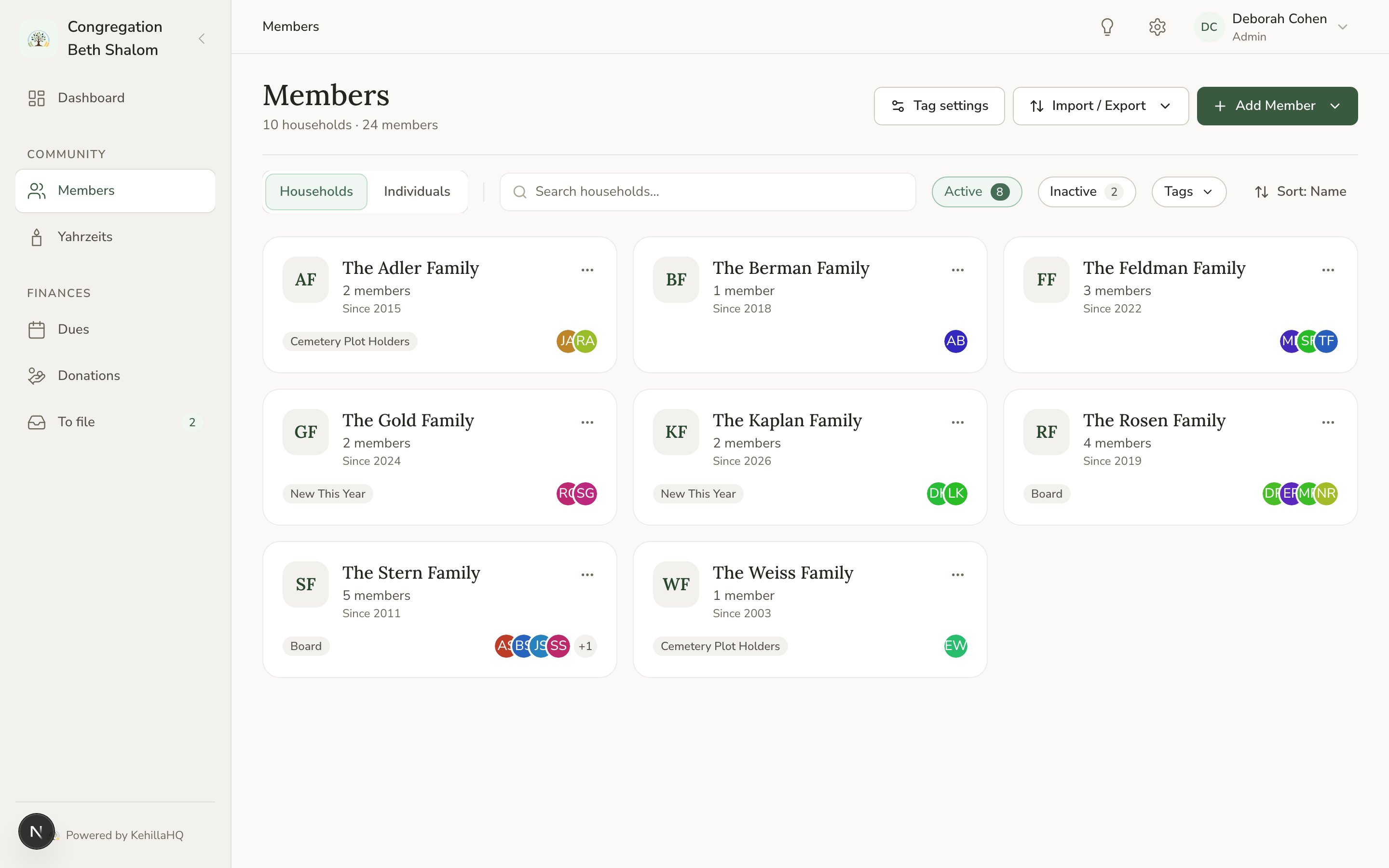
The Members page can show you **households** or **individuals**. Same records, two lenses.
Use the household view when you are thinking about a family: who lives at this address, what have they committed this year, who is the person to call.
Use the individuals view when you are thinking about people: everyone with a birthday this month, everyone tagged for the choir, everyone whose email address is missing.
## The primary contact
Each household can name one of its members as the **primary contact**. This is the person you would call first, and the one who receives household correspondence.
The primary contact has to be a member of that same household. You cannot name someone from another family.
## Household status is worked out for you
You do not set a household's status. It is derived from the people in it, and it updates itself:
* A household with **at least one active member** is **active**.
* Everything else is **inactive**. That includes an empty household, and one where every member has moved away or been marked inactive.
There is one special case worth knowing. A household where **every** member is deceased is shown as a memorial household. It is still inactive for filtering purposes, but it is badged so you can recognise it, because those families often still have yahrzeits you observe every year.
This is why you will never find a "mark this household inactive" control. Change the members, and the household follows.
## What happens when you delete a household
Deleting a household deletes the members inside it. That is usually not what you want. If a family has left the congregation, mark the members inactive instead, which keeps their history, their giving record, and any yahrzeits attached to them.
See [Member status](/members/member-status) for when to use each one.
## Two ways to look at the same directory
The Members page can show you **households** or **individuals**. Same records, two lenses.
Use the household view when you are thinking about a family: who lives at this address, what have they committed this year, who is the person to call.
Use the individuals view when you are thinking about people: everyone with a birthday this month, everyone tagged for the choir, everyone whose email address is missing.
## The primary contact
Each household can name one of its members as the **primary contact**. This is the person you would call first, and the one who receives household correspondence.
The primary contact has to be a member of that same household. You cannot name someone from another family.
## Household status is worked out for you
You do not set a household's status. It is derived from the people in it, and it updates itself:
* A household with **at least one active member** is **active**.
* Everything else is **inactive**. That includes an empty household, and one where every member has moved away or been marked inactive.
There is one special case worth knowing. A household where **every** member is deceased is shown as a memorial household. It is still inactive for filtering purposes, but it is badged so you can recognise it, because those families often still have yahrzeits you observe every year.
This is why you will never find a "mark this household inactive" control. Change the members, and the household follows.
## What happens when you delete a household
Deleting a household deletes the members inside it. That is usually not what you want. If a family has left the congregation, mark the members inactive instead, which keeps their history, their giving record, and any yahrzeits attached to them.
See [Member status](/members/member-status) for when to use each one.