> ## Documentation Index
> Fetch the complete documentation index at: https://docs.kehillahq.com/llms.txt
> Use this file to discover all available pages before exploring further.
# Dues and billing settings
> Every financial setting, and the order to set them in.
Open **Settings**, then **Dues and billing** under Modules. The Dues page also links here from its header, and it is the same page. There is only one place these are defined.
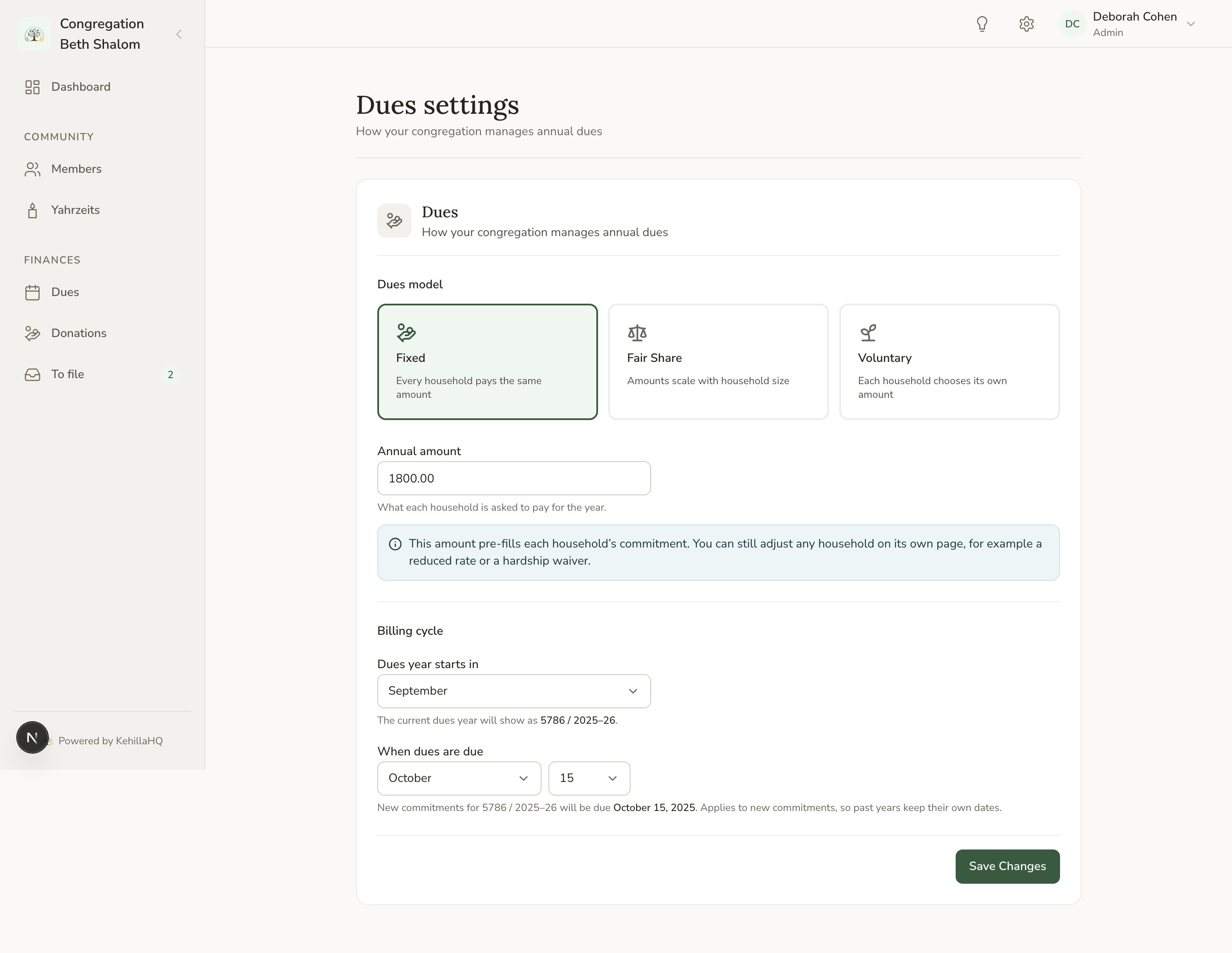 ## Your dues model
Choose Fixed, Fair Share, Tiered, or Voluntary, and set the amounts that go with it.
Each model keeps its own amounts separately, so trying one and returning to another never means retyping your numbers. You can also save a half-finished setup, which is a normal state while you are working things out.
See [Choosing a dues model](/finances/dues-models).
## Fair Share brackets
If you are using Fair Share, define your brackets here. Each is set by the smallest household size it covers, and the highest applicable bracket wins.
Brackets are described back to you in plain words, for example "1 to 3 adults" or "3 or more adults", so you can check they say what you intended.
Brackets count **active adults**. Members recorded as Child, or marked Inactive, Deceased, or Archived, do not count. If a household's amount looks wrong, check the roles and statuses on its members.
## When your dues year starts
Set the month your year starts. The default is September.
Set this before recording commitments, and then leave it. Changing it later moves existing records between years. If you are unsure what your congregation uses, ask your treasurer before entering anything.
See [How dues years work](/finances/dues-years).
## Your annual due date
A month and a day, used to pre-fill the due date on new commitments.
Two behaviours worth knowing:
**The day is clamped to the month's length.** Setting the 31st means the 28th in February, or the 29th in a leap year. So the 31st is a safe way to say "end of the month".
**Changing this never rewrites history.** Commitments already recorded keep the due dates they were given, so adjusting the setting cannot retroactively make a past year overdue.
## Funds
Funds are managed on their own page in the Finances section rather than here. See [Funds](/finances/funds).
## Payment connections
PayPal and other processor connections live under **Payments and data sources**, separately from dues configuration. See [Connecting PayPal](/finances/paypal).
## Setting up from scratch
First, because everything else is measured against it.
Including brackets if you are using Fair Share.
So new commitments are pre-filled sensibly.
The categories your donations go to.
Now the defaults are right, so most households need no adjustment.
Last, once the categories exist for payments to be filed into.
Doing it in this order means the defaults are correct by the time you use them, and saves going back over records you have already entered.
## Your dues model
Choose Fixed, Fair Share, Tiered, or Voluntary, and set the amounts that go with it.
Each model keeps its own amounts separately, so trying one and returning to another never means retyping your numbers. You can also save a half-finished setup, which is a normal state while you are working things out.
See [Choosing a dues model](/finances/dues-models).
## Fair Share brackets
If you are using Fair Share, define your brackets here. Each is set by the smallest household size it covers, and the highest applicable bracket wins.
Brackets are described back to you in plain words, for example "1 to 3 adults" or "3 or more adults", so you can check they say what you intended.
Brackets count **active adults**. Members recorded as Child, or marked Inactive, Deceased, or Archived, do not count. If a household's amount looks wrong, check the roles and statuses on its members.
## When your dues year starts
Set the month your year starts. The default is September.
Set this before recording commitments, and then leave it. Changing it later moves existing records between years. If you are unsure what your congregation uses, ask your treasurer before entering anything.
See [How dues years work](/finances/dues-years).
## Your annual due date
A month and a day, used to pre-fill the due date on new commitments.
Two behaviours worth knowing:
**The day is clamped to the month's length.** Setting the 31st means the 28th in February, or the 29th in a leap year. So the 31st is a safe way to say "end of the month".
**Changing this never rewrites history.** Commitments already recorded keep the due dates they were given, so adjusting the setting cannot retroactively make a past year overdue.
## Funds
Funds are managed on their own page in the Finances section rather than here. See [Funds](/finances/funds).
## Payment connections
PayPal and other processor connections live under **Payments and data sources**, separately from dues configuration. See [Connecting PayPal](/finances/paypal).
## Setting up from scratch
First, because everything else is measured against it.
Including brackets if you are using Fair Share.
So new commitments are pre-filled sensibly.
The categories your donations go to.
Now the defaults are right, so most households need no adjustment.
Last, once the categories exist for payments to be filed into.
Doing it in this order means the defaults are correct by the time you use them, and saves going back over records you have already entered.