> ## Documentation Index
> Fetch the complete documentation index at: https://docs.kehillahq.com/llms.txt
> Use this file to discover all available pages before exploring further.
# Dues and finances
> What lives in the Finances section, and who can see it.
The Finances section holds what each household has committed for the year, what has actually come in, and every contribution your congregation has recorded.
## Who can see it
Finances is restricted, and if you cannot see it in the sidebar, that is your role rather than a fault.
| Role | Access |
| ---------------------------- | -------------------------------- |
| **Admin** | Full: view, record, edit, export |
| **Financial Admin** | Full: view, record, edit, export |
| **Board Member** | View only |
| **Clergy, Staff, Volunteer** | No access at all |
See [Roles and permissions](/get-started/roles).
## The three pages
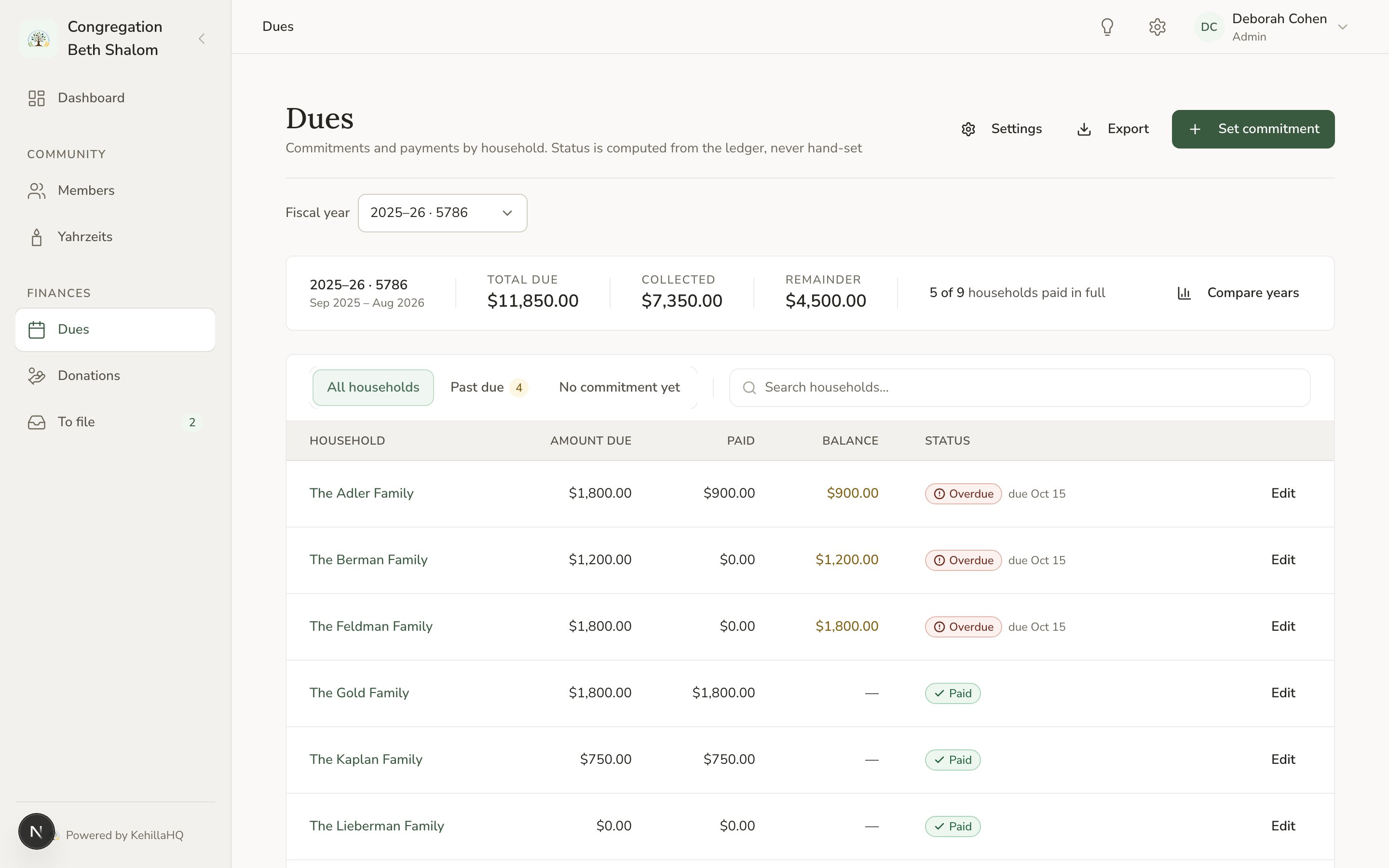
**Dues** is your year at a glance: every household, what it committed, what has come in, and what is still outstanding.
**Donations** is the full contributions ledger: every payment recorded, whatever it was for.
**To file** is where payments arrive that do not yet have enough information to be recorded properly. When something is waiting, a number appears next to it in the sidebar.
 ## How the pieces fit together
A **commitment** is what a household has said it will give for a dues year. A **contribution** is money that actually arrived. Linking a contribution to a commitment is what moves a household from Unpaid toward Paid.
A contribution does not have to be linked to dues. A donation to the building fund is a contribution linked to a **fund** instead.
So there are two questions the system answers separately: what has been promised, and what has been received. Keeping them apart is what lets you see who is behind.
## Where to start
Fixed, Fair Share, Tiered, or voluntary pledges.
When your year starts, and what a year is called.
Record what each household has pledged.
Enter money as it comes in.
## Exporting
The dues page exports the year you are looking at, and lets you choose which columns to include. Households with no commitment are included, so the export matches the page.
Financial exports use their own permission, so **Financial Admin can export financial data** even though that role cannot export the membership directory.
## How the pieces fit together
A **commitment** is what a household has said it will give for a dues year. A **contribution** is money that actually arrived. Linking a contribution to a commitment is what moves a household from Unpaid toward Paid.
A contribution does not have to be linked to dues. A donation to the building fund is a contribution linked to a **fund** instead.
So there are two questions the system answers separately: what has been promised, and what has been received. Keeping them apart is what lets you see who is behind.
## Where to start
Fixed, Fair Share, Tiered, or voluntary pledges.
When your year starts, and what a year is called.
Record what each household has pledged.
Enter money as it comes in.
## Exporting
The dues page exports the year you are looking at, and lets you choose which columns to include. Households with no commitment are included, so the export matches the page.
Financial exports use their own permission, so **Financial Admin can export financial data** even though that role cannot export the membership directory.